
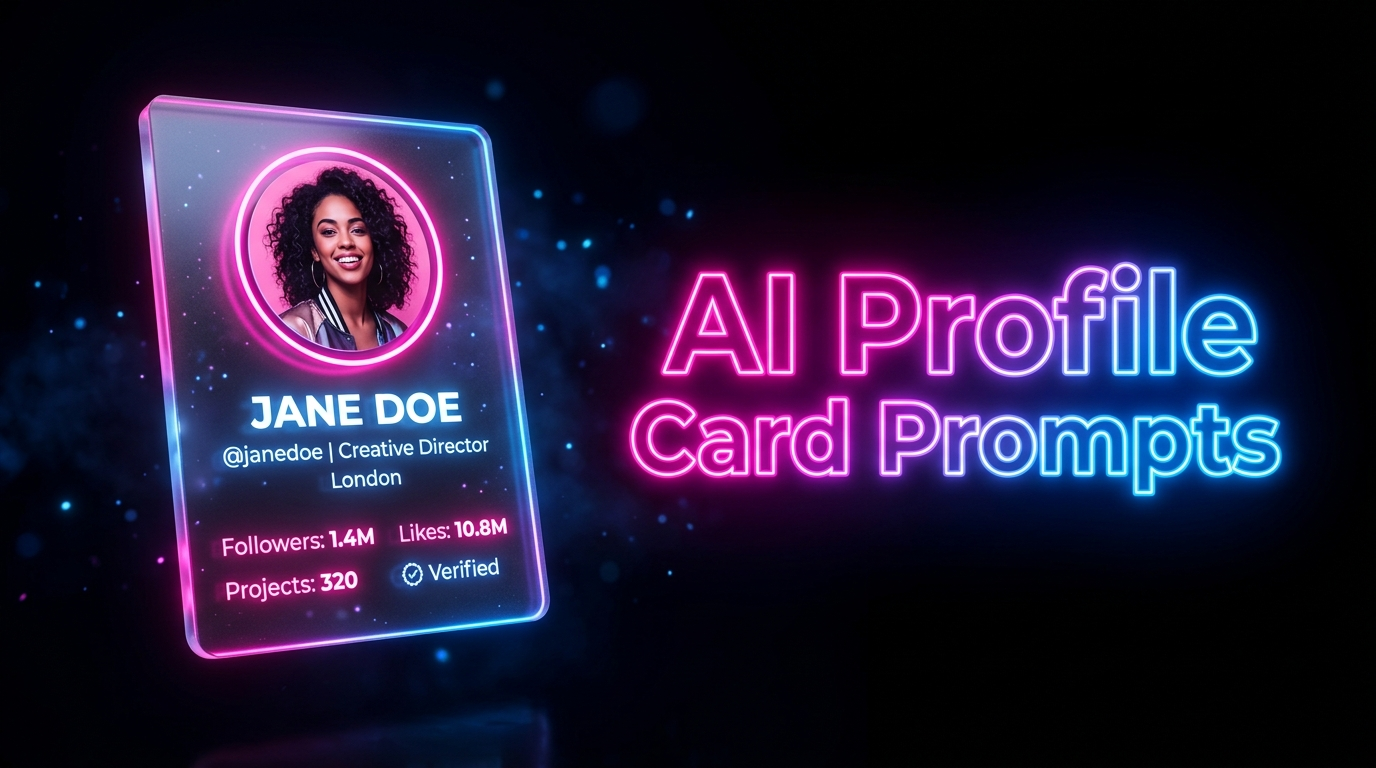
Neon 3D Floating Acrylic Social Media Profile Card Prompt
Introduction
Your profile picture is doing a lot of heavy lifting. It’s the first thing people see. The first impression. And if it looks like everyone else’s — a flat headshot on a plain background — you’re already blending in when you should be standing out.
That’s where these AI-generated neon 3D floating acrylic profile card prompts change everything. We’re talking cinematic, high-gloss, photorealistic cards that look like they were designed by a studio team and rendered on a Hollywood-grade machine. The kind of profile visual that makes someone stop mid-scroll and actually look. Whether you’re a content creator, freelancer, business owner, or just someone who wants their online presence to hit differently — these prompts are built for you.
In this article, you’ll find two carefully crafted AI image prompts, each tailored to a specific social media platform. Each one is plug-and-play. Fill in your details, generate, and walk away with something that genuinely looks unreal — in the best way possible.
The Top List
1. Neon Pink 3D Floating Instagram Profile Card Prompt
This prompt is made for Instagram energy — bold, vibrant, and impossible to ignore. It wraps your profile in a pink and blue-purple neon glow that radiates through frosted acrylic glass, creating a card that feels like it’s alive. Your face sits inside a glowing circular frame, your stats are laid out cleanly below, and the whole thing floats against pure black like a piece of digital art.
Fill details to Generate your AI Prompt
How to Use This Prompt
Step 1: Generate Your Custom Prompt Fill in your Name, Job Title, and Social Media Stats in the input boxes above. Click the “Generate Prompt” button. Once the prompt appears, click “Copy Prompt” to save it to your clipboard.
Step 2: Use Google Flow Image Generation Tool For the best high-quality and photorealistic results. Go to Google ImageFlow or your preferred AI image generation tool.
Step 3: Configure Your Settings
Set the Aspect Ratio — Look for the “Aspect Ratio” setting in your AI tool and select 9:16 (Portrait). This gives you the tall, elegant card shape this prompt is designed for.
Upload Your Reference Image — Look for the “Upload Image,” “Reference,” or “+ plus” icon in the tool. Upload a clear, high-quality portrait photo of yourself. The AI will use this to place your face inside the glowing circular cutout on the card.
Step 4: Paste and Generate Paste the customized prompt into the text box and hit “Generate” or “Create.” Wait a few seconds for the AI to render your cinematic 8K neon acrylic card.

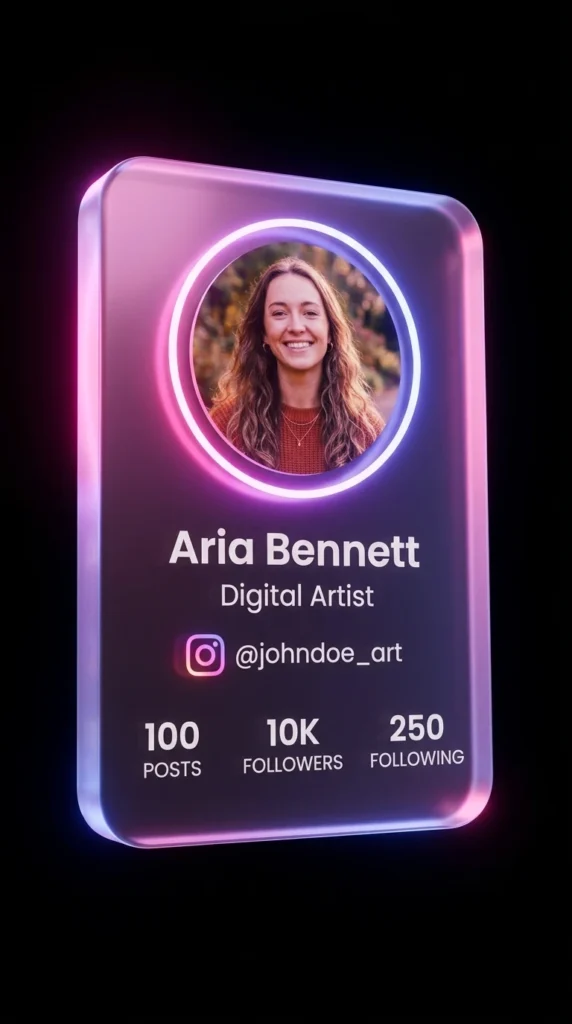
Important: If the text or face placement isn’t perfect on the first try, generate again. AI models sometimes need a couple of attempts to nail the result perfectly.
How to Customize This Prompt
Tip 1 — Change the Color Palette: Swap “intense pink and blue-purple neon light” to colors that match your personal brand. Try “gold and deep crimson,” “green and silver,” or “white and violet” for a completely different personality while keeping the same structure.
Tip 2 — Adjust the Stats Layout: Replace the three-column follower stats with metrics that matter more to you. Instead of POSTS, FOLLOWERS, FOLLOWING — try PROJECTS, CLIENTS, REVIEWS for a portfolio-style card that works for freelancers or consultants.
Tip 3 — Update the Background Mood: The prompt uses a pure black background with faint purple ambient light. You can shift this to “deep navy with subtle blue fog” or “dark charcoal with green neon residue” to change the overall atmosphere of the card.
2. Neon Blue 3D Floating Facebook Profile Card Prompt
Sleek, electric, and sharp — this prompt brings a professional edge that’s perfect for Facebook. The electric blue and cyan neon combination feels clean and modern, like something out of a high-tech product launch. Your portrait sits inside the glowing card with your stats below, and the whole composition has that polished, corporate-meets-futuristic energy that commands attention without screaming for it.
Fill details to Generate your AI Prompt
How to Use This Prompt
Step 1: Generate Your Custom Prompt Fill in your Name, Job Title, and Social Media Stats in the input boxes above. Click the “Generate Prompt” button. Once it appears, click “Copy Prompt” to copy it to your clipboard.
Step 2: Use Google Flow Image Generation Tool For the best high-quality and photorealistic results. Go to Google Flow or your preferred AI image generation tool.
Step 3: Configure Your Settings
Set the Aspect Ratio — Find the “Aspect Ratio” option in your tool and select 9:16 (Portrait) for a tall, vertical card that looks clean and professional.
Upload Your Reference Image — Use the “Upload Image,” “Reference,” or “+ plus” button to upload a sharp, well-lit portrait photo of yourself. The AI will pull your face directly into the glowing circular cutout.
Step 4: Paste and Generate Paste your copied prompt into the input field and click “Generate” or “Create.” Your neon acrylic Facebook card will render in seconds.
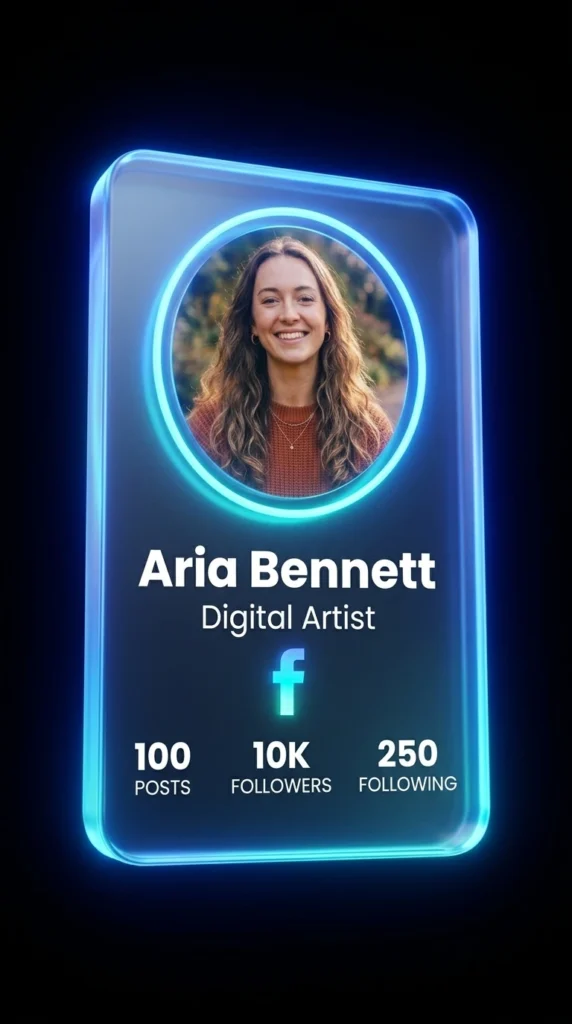
Important: Don’t be discouraged if it takes two or three tries. AI generation can vary — keep going until you get the sharp, cinematic result this prompt is capable of producing.
How to Customize This Prompt
Tip 1 — Shift the Neon Tone: Electric blue and cyan are bold, but they’re not your only options. Try replacing them with “deep teal and white,” “purple and ice blue,” or “orange and gold” to make the card feel uniquely yours while keeping the overall 3D floating structure intact.
Tip 2 — Tailor the Job Title Text: The “${job}” field is your chance to say exactly who you are. Be specific. Instead of just “Photographer,” try “Wedding & Portrait Photographer.” The more specific the text on the card, the more professional and credible it reads.
Tip 3 — Modify the Card’s Viewing Angle: The prompt currently uses “a very subtle low angle.” You can experiment by changing this to “a moderate low angle” or “straight-on centered view” to see which framing makes your card look its most impressive.
How to Choose the Right Style
Picking the right card comes down to one thing: where you want to make your biggest impact. If Instagram is your main stage — your creative portfolio, your personal brand, your highlight reel — go with the neon pink version. It carries that expressive, visually-driven energy that fits the platform perfectly. If you’re building authority on Facebook — whether for a business page, a professional group, or growing a community — the electric blue card hits the right notes. It’s sharp and composed without losing that wow factor. And honestly? There’s no rule that says you have to choose just one. Create both, A/B test them, and see which one gets the reaction you’re after. The prompts are built to be reused.
Conclusion
A few years ago, getting a profile visual that looked this good would have meant hiring a 3D designer, waiting days, and spending real money. Now? You paste a prompt, upload a photo, and walk away with something cinematic. That’s not a small thing. That’s a complete shift in what’s possible for anyone with a phone and an internet connection.
These two neon 3D floating acrylic profile card prompts are just the beginning. The real magic happens when you start customizing — tweaking colors, adjusting your stats, making it yours. So go make it. Generate your card, post it, and drop a comment below telling us which platform you used it for and what reaction you got. Better yet, share your result — we want to see what you create.