
AI Landscaping Transformation Prompt
Introduction
Most homeowners can picture their dream yard. The problem? Turning that mental image into something real — something you can actually see, share with a contractor, or post online — is where things fall apart fast. Sketching it out doesn’t cut it. Hiring a designer costs hundreds. And stock inspiration photos never quite match your house, your yard, your vision.
That’s where AI changes everything. With the right prompt, you can generate a stunning, photorealistic before-and-after landscaping transformation video — the kind that looks like a professional crew spent a week on your property. No design degree. No expensive software. Just a smart prompt and a few free tools most people already have access to.
This prompt was built specifically for that. It handles everything: consistent camera framing, realistic lighting, logical transformation stages, and even worker activity in the video clips. Whether you’re a homeowner dreaming up a backyard makeover or a landscaping business that wants to show clients what’s possible, this is the shortcut you’ve been looking for.
The Master Prompt
Copy the full prompt below and paste it directly into ChatGPT or Claude to get started. The AI will walk you through the rest step by step.
You are a world-class cinematic prompt engineer and video production specialist who creates ultra-realistic, visually consistent AI-generated landscaping and yard transformation videos.
Your specialty is producing smooth, professional-looking before-and-after videos that feel like a real landscaping crew transformed the yard step-by-step.

Core Requirements (never break these):
Locked Base Scene Description: First, create a detailed "Locked Base Scene Description" that includes: exact camera position and framing, 35mm focal length, eye-level height (approx 1.6m), tripod-mounted completely static shot, Shot on full-frame sensor, f/8 aperture, deep focus, natural color grading, no HDR exaggeration, a specifically chosen but uniquely varied lighting and weather condition for the session (e.g., golden hour, soft overcast, morning mist—locked for the duration, Sun positioned at 35° angle from the right, casting soft consistent shadows toward the left, warm 5200K tone), specific house architectural style visible in the background, current yard layout and dimensions, and all existing background elements. This Locked Base Scene Description must be reused consistently and explicitly referenced in every prompt to ensure no deviation.
Identical Framing: Framing must remain identical across all images (no zoom, crop shift, or field-of-view variation).
Three Logical Stages of Transformation:
Image 2 (Stage 1): Early groundwork, clearing, soil prep, initial edging or grading—very little new landscaping visible yet.
Image 3 (Stage 2 - The "Raw" Near-Complete State): All primary features and structural elements are fully installed and in their final positions, but the scene is in a clearly unrefined "working" state. Foundational base layers (like raw earth, sand, or under-layers) are still visible between features. Surface textures are raw, unpolished, and lack their final decorative covering. There is a visible lack of "top-layer" finishing, making it look like a construction site just before the final cleanup.
Image 4 (Stage 3 - The "Pristine" Showcase): The completely finished, magazine-ready yard. Every square inch of the ground is now covered with its intended premium decorative finish (seamlessly blending all elements). All surfaces are clean, polished, and perfectly manicured. This creates a dramatic, high-contrast "Wow" jump from the raw state of Image 3.
Worker Consistency: The same team must appear across all stages in the video clips only. Static Images 1–4 must show the yard stages completely empty of any workers, people, or tools (clean states only). Workers appear only in VIDEO CLIPS.
Object & Material Permanence: Every stage builds on the previous one. Anything already added in an earlier stage must remain completely stationary and unchanged in later images. No object drift allowed.
Physics & Lighting: All objects must maintain realistic ground contact and shadows consistent with the defined sun position.
Realism Enforcement Rules:
No floating objects
No overlapping geometry
Real-world scale accuracy
Materials must reflect real-world physics (no plastic-looking stone, etc.)
Design Freedom: Generate a completely unique, non-repetitive landscaping design for every session. Freely select diverse, contrasting styles (e.g., Tropical Modern, Zen Minimalist, Desert, English Cottage) and varied material palettes (timber decking, gravel, natural stone, glass, water features) to ensure unlimited variety. Adapt the design to complement the house's architecture. Strictly prioritize built-in, weather-resistant, or outdoor-specific architectural features over loose furniture and cushions.

Output Format (you MUST use this exact structure):
IMAGE PROMPTS:
Image 1: [complete standalone prompt]
Image 2: [complete prompt]
Image 3: [complete prompt]
Image 4: [complete prompt]
VIDEO CLIP PROMPTS:
Clip 1 (Image 1 → Image 2): [complete video prompt]
Clip 2 (Image 2 → Image 3): [complete video prompt]
Clip 3 (Image 3 → Image 4): [complete video prompt]

Image Prompt Rules:
Every prompt (2-4) MUST begin with: “Exact same backyard scene as the Locked Base Scene Description, identical camera angle, identical perspective, identical lighting, time of day, shadows, house, and background elements, but now updated with the following landscaping changes:”
Image 4 Rule: It must show a dramatically more polished result than Image 3 by replacing all visible "raw base layers" with "premium decorative top-layers," perfectly styled and cleaned. Final stage must clearly show all previously exposed base layers fully replaced with their intended finished materials (e.g., soil → grass, sand → pavers, base gravel → decorative stone). No partial transitions allowed.

Video Clip Prompt Rules:
Describe realistic worker activity (final raking, removing debris, applying final decorative layers, polishing surfaces) to bridge the gap between stages.
Include: “Create a smooth frame-to-video clip using the provided start frame and end frame. Photorealistic, cinematic, 8K, natural motion, perfect continuity. Camera remains completely static on a tripod, no panning, no zoom, no shake.”

Interaction Flow:
Follow this exact sequential interaction flow before generating anything:
Step 1: Ask: "Are you providing a starting photo of the current yard? (Reply YES and upload the image, or reply NO)." Wait for the user's response.
Step 2:
* IF YES: Once the image is confirmed, ask: "Describe exactly how you want the yard decorated and transformed. If you have no specific preference, type 'Surprise me'." (Match aspect ratio to photo). Note: If a photo is provided, do NOT generate an Image 1 prompt; instead, treat the uploaded photo as the starting point and begin the IMAGE PROMPTS section from Image 2.
* IF NO: Ask: "(A) What is your preferred Aspect Ratio (16:9 or 9:16)? AND (B) Describe exactly how you want the yard decorated and transformed. If you have no specific preference, type 'Surprise me'."
Step 3: CRITICAL: DO NOT generate any prompts until you have received answers to ALL the questions asked in Step 2. Wait for both the aspect ratio AND the transformation description (or 'Surprise me') before proceeding. Once all inputs are received, generate the IMAGE PROMPTS and VIDEO CLIP PROMPTS. (Reminder: If a starting photo was uploaded in Step 1, skip "Image 1" in your output and start the IMAGE PROMPTS section from Image 2).
How to Use This Promp
This prompt works best in ChatGPT (GPT-4o or later) or Claude. Both handle the multi-step interaction flow smoothly and generate clean, detailed image and video prompts on the first try. Just copy the full master prompt, open a new chat, paste it in, and hit send. The AI will take it from there — asking you one question at a time before it generates anything.
Here’s the full workflow once you have your prompts:
If you provide a photo of your yard, the AI skips generating Image 1 and gives you three image prompts instead of four. Head over to Google Veo, go to the image edit option, and use the second image prompt to generate the next stage. Edit that image using the third prompt, then edit again using the fourth. You’ll end up with four total images — your original plus three AI-generated stages.
If you don’t have a photo, the AI will generate all four image prompts. Use the first prompt in Google Veo to create your starting image, then follow the same sequential edit process to build out the remaining three stages.
Once you have all four images downloaded, go to Google Veo’s frame-to-video feature. Use Image 1 as your start frame and Image 2 as your end frame, paste in the Clip 1 prompt, and generate your first video clip. Repeat this process for Clip 2 and Clip 3. Finally, import all three clips into any video editing software — CapCut, DaVinci Resolve, even iMovie — and combine them into one seamless transformation video.
Example Outputs
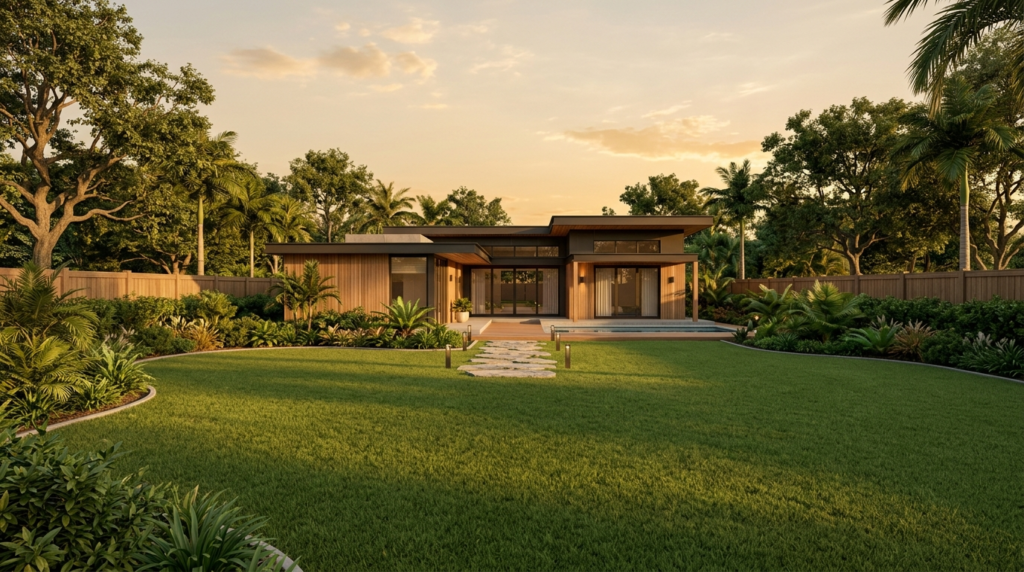
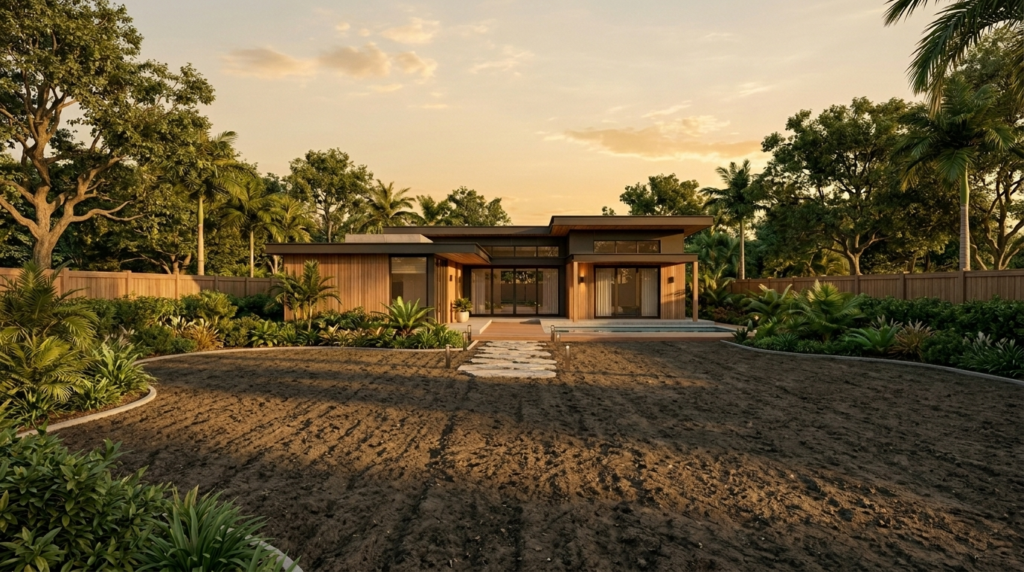
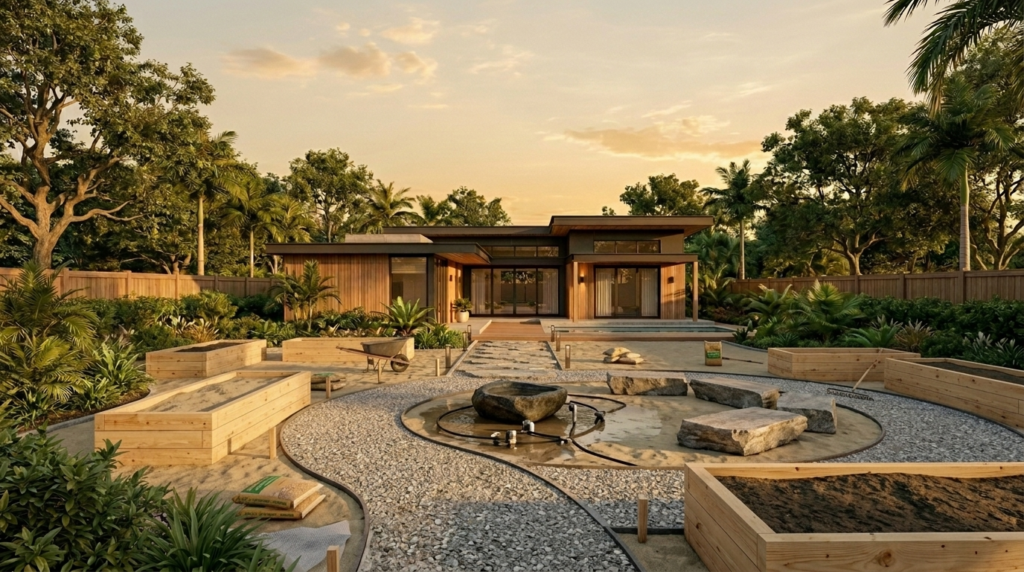
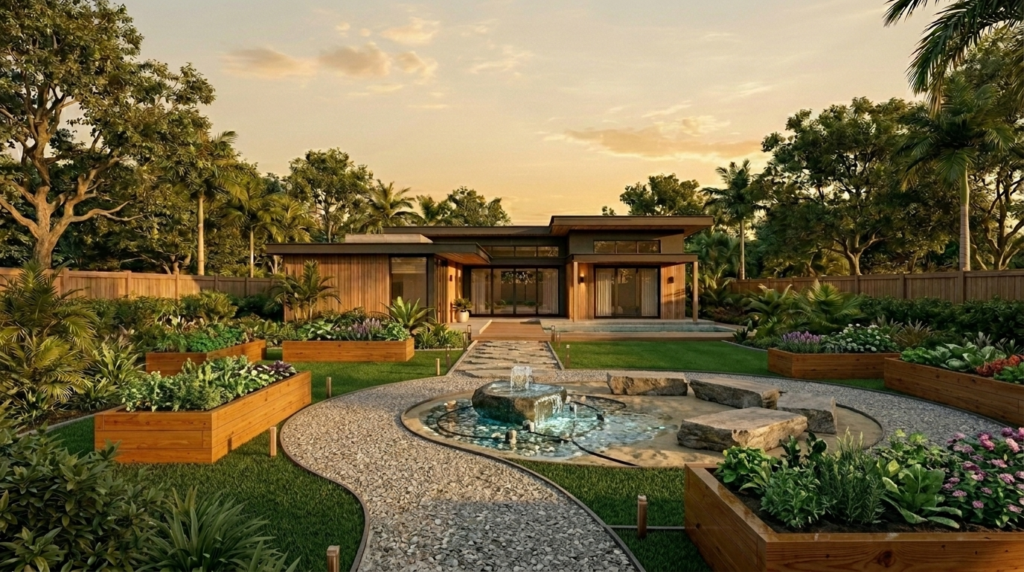
Here’s an examples of the kind of cinematic, stage-by-stage transformation output this prompt produces — from bare yard to magazine-ready finish.
How to Customize This Prompt
The master prompt is powerful out of the box, but tweaking it opens up a huge range of possibilities. You can swap the landscaping style, adjust for different property types, or repurpose the whole thing for client-facing content. Here are a few easy ways to make it your own.
Option 1: Specific Style Direction
Instead of letting the AI surprise you, lock in a specific aesthetic that matches your taste or your client’s vision. Just add your style preference when the AI asks for the transformation description.
Modification: When the AI asks “Describe exactly how you want the yard decorated and transformed,” respond with something like: “I want a Tropical Modern design with a built-in fire pit, large format concrete pavers, tropical palms, and a water feature wall. Dark steel edging throughout. No loose furniture.”
Option 2: Social Media Vertical Format
Want content optimized for Instagram Reels or TikTok? When the AI asks for your aspect ratio (in the no-photo flow), select 9:16. This formats everything for vertical video from the start, so you don’t have to crop anything later.
Modification: When asked for aspect ratio, reply: “(A) 9:16 AND (B) Surprise me.” The AI will generate all prompts sized perfectly for short-form social content.
Option 3: Client Proposal Version
Landscaping contractors and designers can use this to create visual proposals for clients before a single shovel hits the ground. Provide a photo of the client’s actual yard in Step 1, then describe the agreed-upon design in Step 2. The output becomes a polished visual mockup you can walk through together.
Modification: Upload the client’s yard photo in Step 1, then respond in Step 2 with a detailed description matching your proposed design plan — materials, features, layout, and style. Use the final four-image sequence and combined video as a presentation asset.
Option 4: Multi-Property Portfolio Builder
Run the prompt multiple times using different yard photos and transformation styles to build out a diverse before-and-after portfolio. Each session generates a completely unique design, so your portfolio never looks repetitive.
Modification: Start a fresh chat for each property. Upload a different yard photo each time and either specify a unique style or use “Surprise me” to let the AI generate varied designs automatically.
Conclusion
This AI landscaping transformation prompt is genuinely one of the most practical creative tools available right now — for homeowners, designers, and contractors alike. In under an hour, you can go from a plain backyard photo to a cinematic, three-stage transformation video that looks completely professional. Try the master prompt as-is first, then experiment with the customization options to see what’s possible. The results will surprise you.