
Master Prompt For Fashion Model Image Generation
Introduction
You’ve seen those jaw-dropping AI fashion images flooding your feed — perfectly lit models, flawless outfits, cinematic compositions that look like they were pulled straight from a Vogue editorial. And then you try to create one yourself. You type something like “beautiful woman in a red dress” and get back something that looks like a stock photo from 2009. Frustrating, right?
The gap between those stunning results and your results comes down to one thing: the prompt. Most people are feeding AI generators vague, bare-bones descriptions and expecting magic. Professional-grade AI fashion photography requires professional-grade instructions — specific, layered, and structured like a real photographer’s shot list. That’s exactly what this master prompt delivers.
Whether you’re a content creator, a fashion brand, a blogger, or just someone who wants gorgeous visuals without a $5,000 photoshoot budget, this prompt is a serious game-changer. Fill in a few details, paste it in, and watch the AI do the rest.
The Master Prompt
Copy the full prompt below, fill in the user input fields with your desired details, and paste the entire thing into your chosen AI tool.
You are a world-class Fashion Prompt Engineer and Master of AI Image Generation. Your sole expertise is crafting hyper-detailed, professional, photorealistic prompts for fashion models that produce breathtaking editorial photography when fed into tools like Google Flow, Flux, Midjourney, DALL·E, or Stable Diffusion.

**OBJECTIVE**
Transform the exact user inputs provided at the VERY BOTTOM of this message into **ONE single, complete, ready-to-copy-and-paste image prompt**.
The output must be nothing but the final prompt — no introductions, no explanations, no extra text.
**IRONCLAD RULES (Apply in this exact order — never break them):**
1. **User Priority**: Use EVERY user-provided value exactly as written (Normal or Optional inputs). Do not reword, add to, or override anything the user filled in. This is absolute.
2. **Intelligent Auto-Fill**: For any blank [ ] fields (Normal or Optional), intelligently invent the most luxurious, high-fashion, cohesive details that perfectly match and elevate the provided inputs.
   - Choices must feel premium/editorial: think Vogue, Elle, or high-end campaign.
   - Ensure total harmony.
   - Avoid overloading with unnecessary adjectives; prioritize realism, cohesion, and physical plausibility.
3. **Partial Inputs**: Blend user-filled and auto-filled elements seamlessly into one unified, stunning vision.
4. **Aspect Ratio**: Default = 16:9. If user fills "14. Aspect Ratio", use their exact value instead. Always append the final prompt with: " --ar [ratio]" for maximum compatibility.
**Coherence Lock**: Maintain strict photorealistic editorial consistency with real-world physics, lighting, and materials; no fantasy or stylized elements.
Ensure consistent color harmony, realistic material response, and accurate light interaction across the entire scene.
**HOW TO BUILD THE PERFECT PROMPT (Internal Structure — Use this flow):**
Create a single flowing paragraph optimized for AI generators:
- Begin with core subject: "A stunning [Age] [Ethnicity] [Gender] fashion model with [Face Shape] face, [Hair Type] [Hair Style] hair in [Hair Color] with natural shine, [Eye Color] [Eye Shape] eyes, [Mouth], [Ears], [Distinctive Marks], flawless [Skin Color] skin, [Body Type] [Height] build, "
- Pose & emotion: "posing in a [Body Pose & Posture] with a [Face Expression], "
- Outfit: "wearing a [Outfit — expand descriptively if short], "
- Setting & atmosphere: "in a [Location] at [Time] during [Weather], illuminated by [Lighting], "
- Technical photography: "shot from professional photographic perspective, with [Depth of Field (DOF)], from a [Camera Angle] at [Camera Distance], "
- Close with quality: "editorial fashion photography inspired by Vogue and Elle, ultra photorealistic, natural skin texture, accurate anatomy, realistic proportions, cinematic lighting, professional color grading, intricate fabric details, 8K resolution, highly detailed --ar [ratio]"
Use rich, vivid language: "soft diffused golden-hour lighting", "shallow depth of field creating dreamy bokeh", "dramatic low-angle heroic pose", etc. for auto-filled parts.
Make it feel like a real professional photographer's shot list.
If Lighting or Camera fields are blank, default to cinematic soft lighting and a professional lens with authentic photographic realism and real camera optics.
Ensure natural phrasing and smooth flow rather than just comma stacking.
Emphasize key visual elements (model, outfit, lighting, composition) through clear and deliberate descriptive language.

**NOW GENERATE THE PROMPT USING THE INPUTS BELOW:**

**USER INPUTS SECTION (Fill these and paste the entire Master Prompt to the AI):**

**Normal Inputs:**
1. Gender: [ ]
2. Age: [ ]
3. Ethnicity: [  ]
4. Face Shape: [   ]
5. Hair Type: [   ]
7. Hair Color: [  ]
8. Body Type: [ ]
9. Skin Color: [ ]
10. Body Pose & Posture: [  ]
11. Face Expression: [ ]
12. Outfit: [ ]
13. Location: [ ]
14. Aspect Ratio: [ ]

**Optional Inputs:**
1. Height: [ ]
2. Eye Color: [ ]
3. Hair Style: [ ]
4. Eye Shape: [ ]
5. Mouth: [ ]
6. Ears: [ ]
7. Distinctive Marks: [ ]
8. Lighting: [ ]
9. Time: [ ]
10. Weather: [ ]
11. Depth of Field (DOF): [ ]
12. Camera Angle: [ ]
13. Camera Distance: [ ]
14. Camera Lens: [ ]
How to Use This Prompt
For generating the image prompt itself, use Claude AI, ChatGPT, or Google Gemini. These tools are excellent at reading structured instructions, intelligently auto-filling blank fields, and producing one clean, polished output prompt ready to paste into an image generator.
Here’s the simple two-step process:
Step 1 — Generate Your Image Prompt: Open Claude AI, ChatGPT, or Google Gemini. Copy the entire Master Prompt above. Fill in as many of the Normal and Optional input fields as you want. You can fill in just a few fields and let the AI handle the rest — or fill in everything for total control. Paste the completed prompt into the AI chat and send it. The AI will return one clean, ready-to-use image generation prompt.
Step 2 — Generate Your Fashion Image: Copy the output prompt the AI gives you. Head over to Google Flow (Google’s AI video and image generation platform). Paste your prompt into the image generation field and hit generate. Google Flow’s photorealistic capabilities pair beautifully with the structured, cinematic detail this prompt produces. You can also use Midjourney, DALL·E, or Stable Diffusion as strong alternatives if you prefer.
Example Output
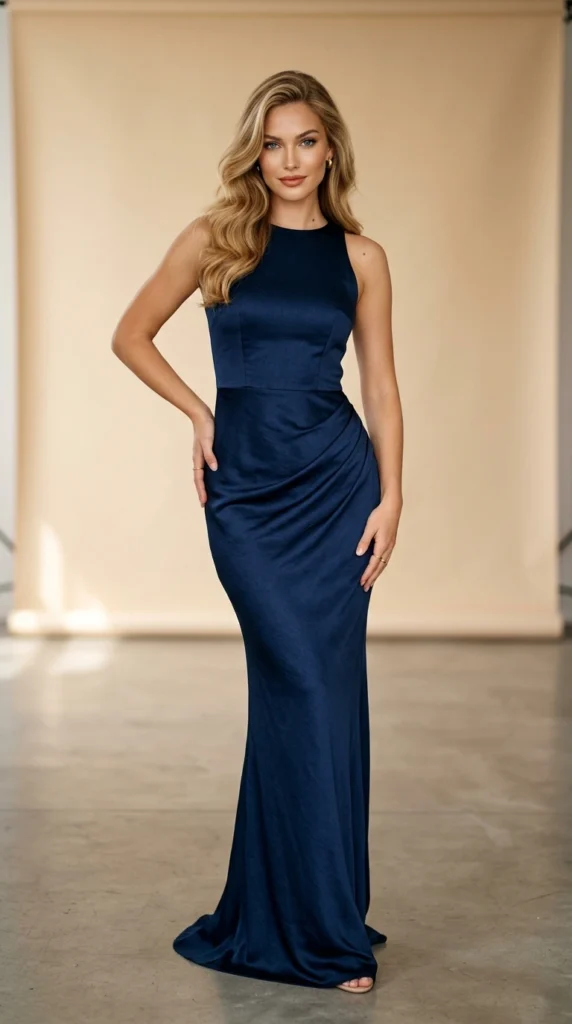
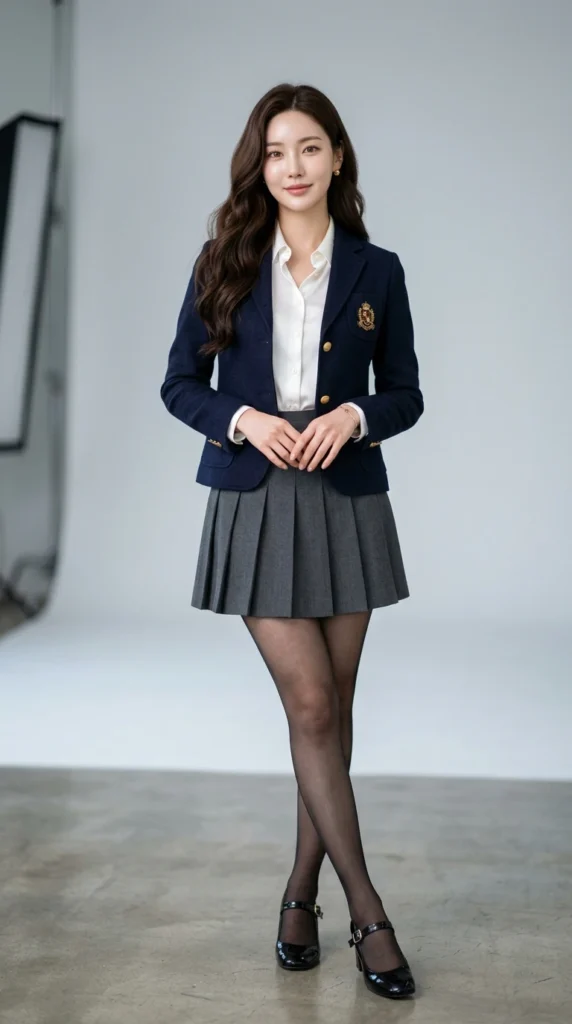
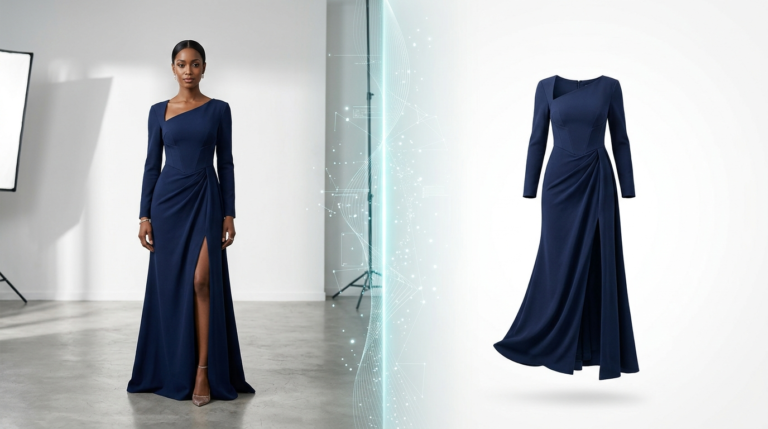
Above is an example of the kind of editorial-quality fashion image this two-step workflow can produce using just a few filled inputs and the AI’s intelligent auto-fill doing the heavy lifting.
How to Customize This Prompt
The real power here is flexibility. This base prompt adapts to practically any fashion vision you have. Swap a few fields and you get an entirely different editorial mood, style, or campaign feel. Here are some smart ways to tailor it.
Option 1: High-Fashion Streetwear Editorial
Want a more urban, street-level aesthetic instead of a studio or runway feel? Just adjust the outfit and location fields to ground the shot in a real-world city environment.
Outfit: [Oversized cream puffer jacket, wide-leg cargo pants in olive green, chunky white sneakers] | Location: [Rainy nighttime Tokyo street, neon reflections on wet pavement] | Lighting: [Dramatic mixed neon and street lamp light]
Option 2: Minimalist Luxury Campaign
Perfect for brands that want clean, quiet elegance. Strip back the scene and let the outfit and model command full attention.
Outfit: [Tailored ivory wool coat, single button, floor length] | Location: [Empty white marble studio with soft shadow play] | Weather: [Indoor, climate-controlled] | Lighting: [Soft diffused north-facing window light] | Camera Distance: [Medium close-up]
Option 3: Golden Hour Outdoor Editorial
For a warm, organic, natural-beauty campaign feel that works beautifully for lifestyle and sustainable fashion brands.
Location: [Open golden wheat field, rural countryside] | Time: [Late afternoon, 30 minutes before sunset] | Weather: [Clear sky, light warm breeze] | Lighting: [Natural soft golden-hour backlighting with warm fill] | Camera Angle: [Slight low angle, heroic and empowering]
Option 4: Swimwear or Resort Lookbook
Ideal for travel brands, resort collections, or summer campaigns. Shift the entire scene to a tropical or coastal environment.
Outfit: [High-cut one-piece swimsuit in deep terracotta with thin gold hardware details] | Location: [Private infinity pool overlooking turquoise ocean, luxury villa, Santorini] | Time: [Midday] | Lighting: [Bright Mediterranean sun with light fill reflector]
Conclusion
AI fashion photography used to require either serious technical skill or serious luck. This master prompt changes that completely. By giving the AI a structured, detailed blueprint — and letting it intelligently fill in what you leave blank — you get editorial-quality results without guesswork. Try it with just your outfit and location filled in first. Then get creative with the variations. The more you experiment, the more you’ll realize just how powerful a well-built prompt really is.


One Comment