
ASMR Glass Fruit Cutting AI Video Prompt (Image-to-Video Ready)
Introduction
You’ve probably seen them on your feed. Those weirdly satisfying videos of crystal-clear glass fruit being sliced open with a perfectly clean knife, complete with those crisp, tinkling sounds that make your brain go quiet for a few seconds. They rack up millions of views, and the comment sections are always full of people saying the same thing: “I don’t know why I watched this three times.” That’s the power of ASMR content done right — and right now, AI video tools have made it possible for anyone to create this stuff from scratch, with no camera, no studio, and no glass sculpting skills required.
The challenge, though? Getting the AI to actually do what you want. Generic prompts produce generic results — blurry hands, floaty physics, weird backgrounds, and fruit that looks more like a rubber toy than a crystal sculpture. If you want those razor-sharp reflections, the deep translucent color, and the satisfying clean-cut moment, you need a prompt that has been built with real precision. That’s exactly what this article gives you. One master prompt, a clear workflow, and everything you need to start producing scroll-stopping ASMR content today.
The Master Prompt
Copy the entire prompt below and paste it directly into ChatGPT to get your paired image and video prompts, each tailored to a new fruit every single time.
Act as an expert prompt creator for AI image and video generation tools. Your task is to provide text-based prompts only. Do not generate any images or videos yourself. Every time you receive this instruction, you must write out a paired 'Image Prompt' and an 'Image-to-Video Prompt' for an ASMR glass-cutting scene.
To ensure variety, each time, select a different fruit and ensure it is not repeated from the previous output and identify its primary vibrant color.
Strict Rules to Follow:
Color Matching: The [Fruit Color] must accurately represent the chosen fruit's dominant exterior color. Nail polish must exactly match the dominant exterior color of the glass fruit.
Video Consistency: The video prompt must explicitly instruct the video AI to maintain the first frame and elements of the input image.
Generate the final output using the following templates, replacing the bracketed information with your randomized selections:

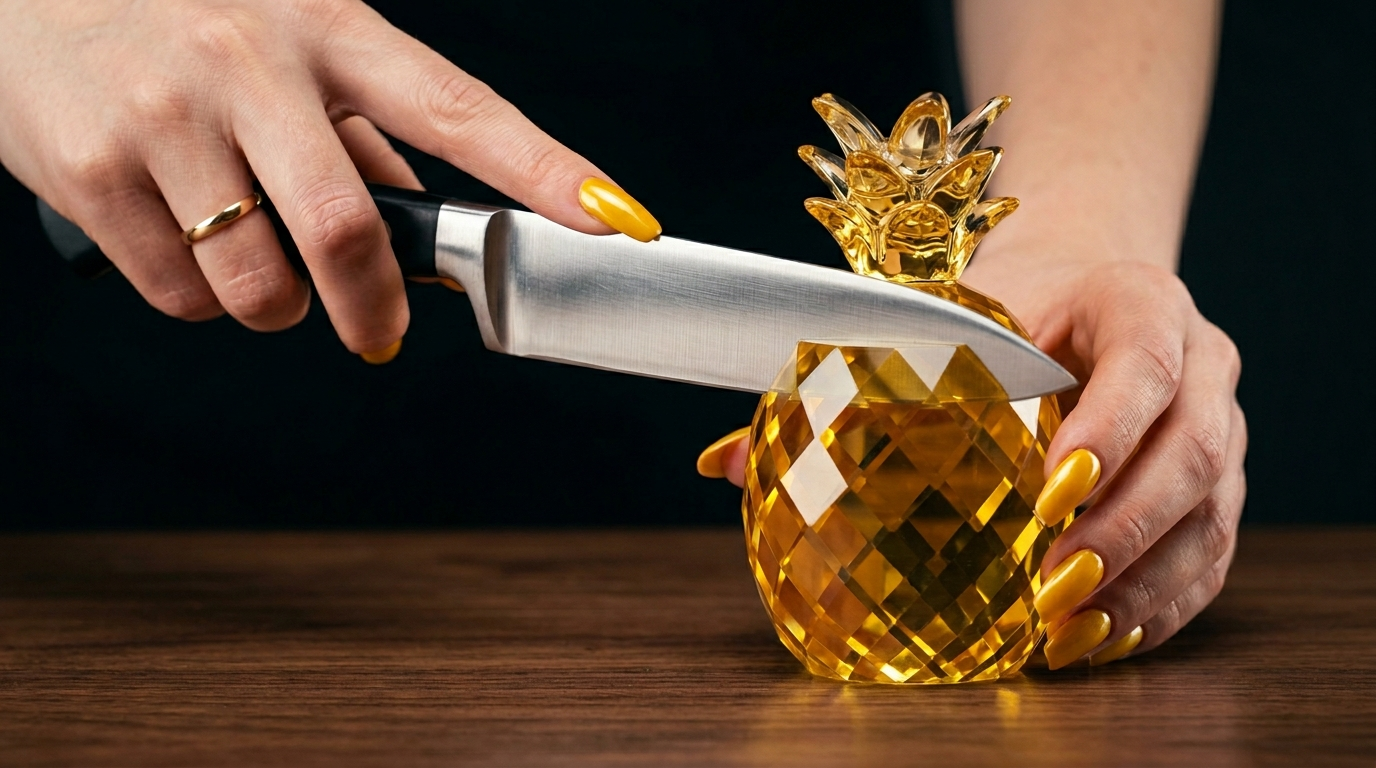
1. Image Prompt: "A hyper-realistic 8K macro photograph capturing the precise moment before a cut. The hand of an elegant female person, with long, sophisticated [Fruit Color] nails are shown; the left hand is gripping a clean, polished stainless steel chef's knife, while the right hand is placed lightly and supporting a single, whole, pristine solid translucent [Fruit Color] crystal glass [Fruit Name] sculpture. The sharp edge of the blade is resting precisely on the top surface of the sculpture, which is flawlessly detailed with depth and facets, sitting on a modern polished walnut wood surface. The glass sculpture is visually intact with realistic glass physics where the knife touches. Professional studio lighting creates crisp reflections on the blade, the [Fruit Color] nails, and within the multi-faceted crystal. The background is a clean, dark, minimalist void. The composition is a tight focus on the elegant hands, the knife, and the glass [Fruit Name]."

2. Image-to-Video Prompt: "Maintain the exact first frame, composition, and objects of the provided image with perfect temporal consistency. Fixed camera, no movement or angle change. The left hand pushes the knife downward with a steady motion, while the right hand holds the glass [Fruit Name] sculpture firmly in place. The sharp knife makes a clean slice through the solid translucent [Fruit Color] crystal glass [Fruit Name] sculpture, creating a natural separation into two symmetrical halves. The cut follows realistic glass physics. The knife stays perfectly centered, passing through with a clear gap between the blade and both glass halves so nothing sticks. The two halves lean away from each other as the blade passes through. Studio-quality lighting with beautiful dynamic reflections and refractions, 8K macro shot. High-quality immersive ASMR sound featuring crisp scraping, smooth slicing, and subtle resonant tones of the blade cutting through dense solid glass. The interior is solid clear crystal glass, not real fruit."
How to Use This Prompt
This prompt is built for a two-tool workflow: ChatGPT for generating your text prompts, and Google Flow (powered by Veo 3) for creating both the image and the final video. Here is exactly how to run the whole process, step by step.
Step 1: Generate Your Prompts in ChatGPT
Open a new ChatGPT chat and paste the full Master Prompt above. ChatGPT will respond with two things: a specific Image Prompt and a specific Image-to-Video Prompt, each tailored to a randomly selected fruit. Here is the key rule — always use the same chat session for every new request. That way, ChatGPT tracks which fruits have already been used and will automatically suggest a fresh one each time. No repeats, no manual tracking needed on your end.
Step 2: Create the Image with Google Flow
Head over to Google Flow’s image generation tool. Paste in the Image Prompt that ChatGPT just gave you. Before you hit generate, set your aspect ratio to 9:16 — vertical portrait orientation works best for this style of content and keeps things consistent throughout the whole workflow. Generate at least two versions. AI image tools can sometimes produce distorted hands or an awkward knife position, so having two options gives you a quality choice. Pick the cleanest, most realistic result before moving on.
Step 3: Generate the Video with Google Flow (Veo 3)
Switch over to Google Flow’s video generation tool (Veo 3). Upload the best image from Step 2 as your reference image, then paste in the Image-to-Video Prompt from ChatGPT. Set the video aspect ratio to 9:16 — this must match the image exactly, or the output will look off. Hit generate and let Veo 3 do its thing.
Step 4: Check for Background Music
This is a small but important step. The whole appeal of this content is pure, clean ASMR sound — the scrape of blade on glass, the smooth slice, the subtle crystal resonance. Occasionally, AI video tools will add background music on their own. If that happens, just regenerate. Keep regenerating until you get a clean audio output with only the satisfying glass-cutting sounds.
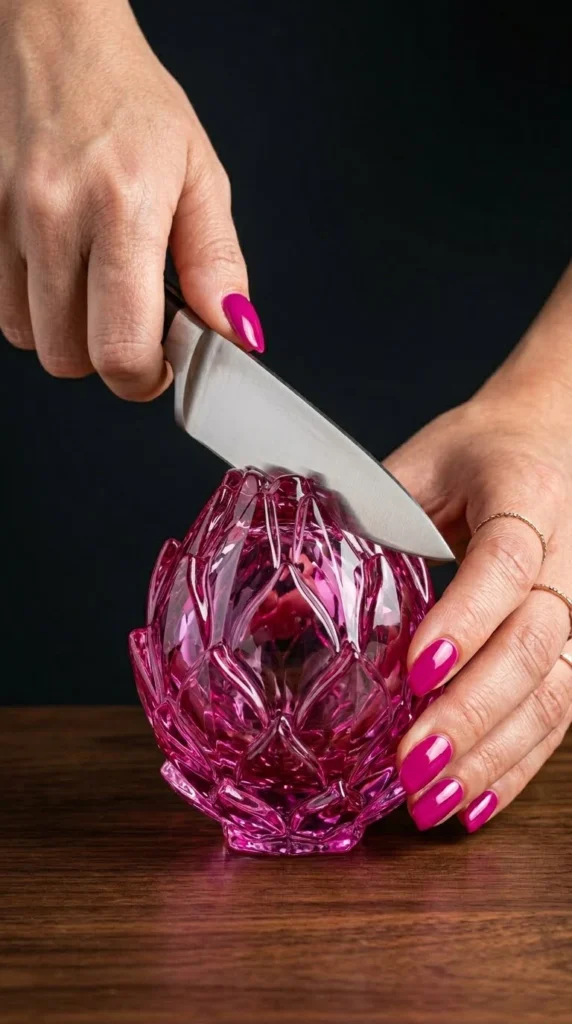
A sample output showing the generated image and video from Google Flow, ready to use as your final ASMR content.
How to Customize This Prompt
The base prompt is powerful on its own, but the real fun starts when you start tweaking it. The structure is deliberately modular — you can swap out the surface, the setting, the sound design, or the hand styling and get a completely different feel while keeping that same high-end aesthetic. Here are a few directions worth exploring.
Option 1: Frosted Glass Variation
Want a softer, more ethereal look? Swap the solid translucent crystal style for a frosted glass finish. This creates a milky, diffused appearance that still refracts light beautifully but has a completely different mood — more elegant, less flashy.
Modify the image prompt line to read: “…a single, whole, pristine frosted matte translucent [Fruit Color]-tinted crystal glass [Fruit Name] sculpture with a soft, diffused surface finish…” and update the video prompt to include: “The cut reveals a frosted interior with subtle inner glow and soft light diffusion as the two halves separate.”
Option 2: Luxury Marble Surface Background
The walnut wood surface is clean and minimal, but switching to a polished white or black marble background elevates the whole visual into luxury product territory — great if you’re going for a high-end aesthetic or want more contrast with vibrant fruit colors.
Replace “modern polished walnut wood surface” in the image prompt with: “a flawless polished white Carrara marble surface with subtle natural veining.” Keep everything else the same.
Option 3: Nighttime Neon Accent Lighting
For a more dramatic, editorial look, you can push the lighting into neon accent territory. This works especially well with purple, deep red, or blue fruits where the colored glass really pops under moody lighting.
In the image prompt, replace “Professional studio lighting” with: “Dramatic dark studio lighting with a subtle [Fruit Color] neon underglow accent casting soft colored reflections across the marble surface and glass sculpture.” In the video prompt, add: “Neon accent light creates dynamic color shifts in the refractions as the blade passes through.”
Option 4: Two-Fruit Composition
Once you are comfortable with the single-fruit format, try prompting a split composition — one whole glass fruit and one already-halved version sitting beside it. This gives you a richer, more editorial still image before the cut even begins.
Add this to the image prompt after the sculpture description: “A second identical [Fruit Name] sculpture, already sliced cleanly in half, rests beside the whole one on the surface, its interior revealing solid clear crystal glass with no seeds or pulp.”
Conclusion
ASMR glass fruit cutting videos are one of those content formats that look incredibly complex but are genuinely achievable with the right workflow. This master prompt does the heavy lifting — it handles color consistency, physics accuracy, ASMR sound design, and frame-to-frame video continuity all in one shot. Run it in ChatGPT, take the output to Google Flow, and you’ve got a production-quality clip in minutes. Start with the base prompt, get comfortable with the workflow, then start swapping in the variations. The combinations are pretty much endless — and every single one of them has that satisfying, can’t-look-away quality that makes this content perform.
One Comment